The ‘Downloads Folder Launcher’ is a small, useful and light-weight extension. Install it from this link, and then pin its icon on the browser toolbar following this article. Now, you can use this extension by clicking on this toolbar button as shown in the following screenshot.
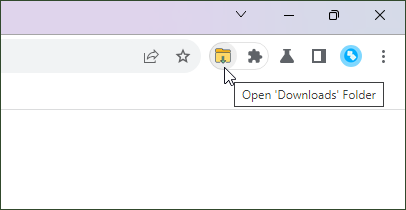
This extension opens the downloads folder in operating system’s native file manager application. This feature is convenient for quickly accessing your downloaded files.
Keyboard Shortcut
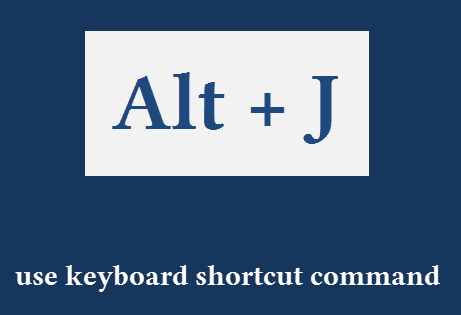
You can also use its keyboard shortcut command, Alt + J, which makes it much easier to use. You can change this keys combination by following this tutorial.
Change Default Downloads Folder in Chrome
By default, Google Chrome saves downloaded files into the “downloads” folder of your home directory. For Windows users, this typically resembles a path like C:\Users\your_username\Downloads . However, Chrome offers the flexibility to modify this default setting.
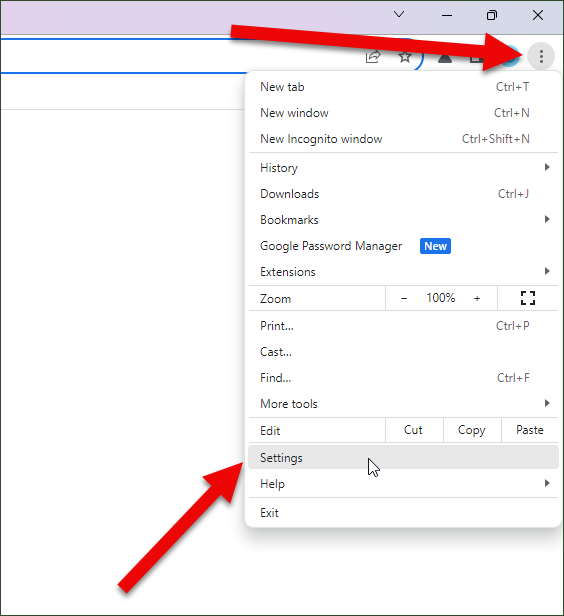
For this, click on the Settings option present in Chrome’s main menu as shown in the following screenshot:
Now, click on the “Downloads” option in the left sidebar. This will open the downloads settings of your browser.
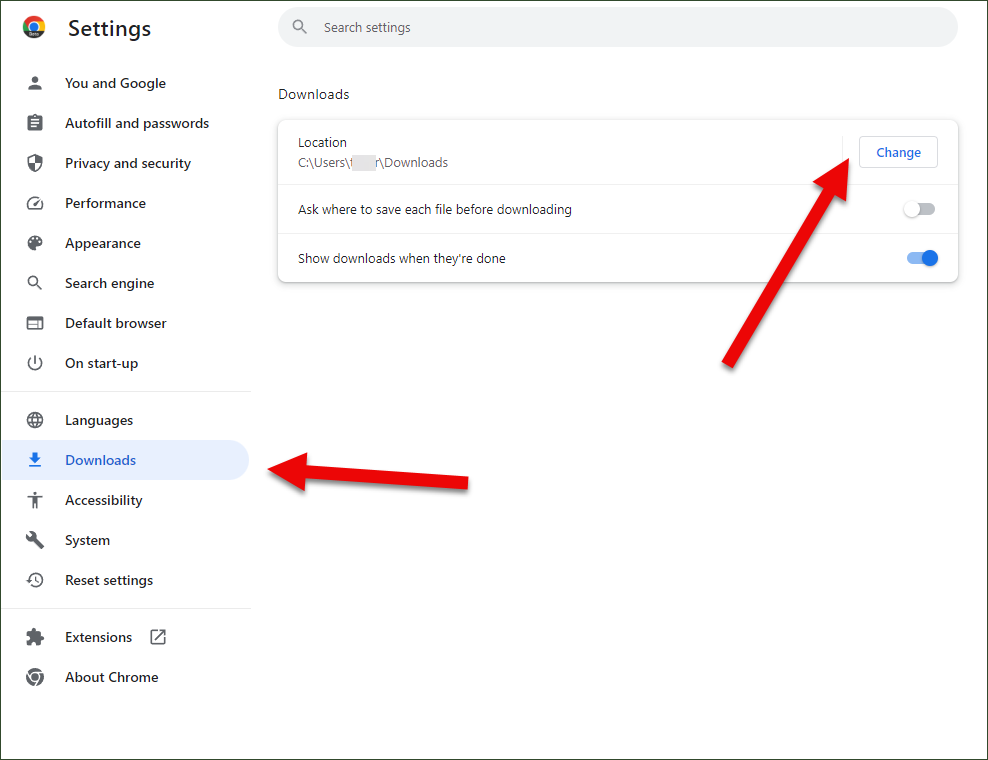
Here, you can change these downloads settings:
- Alter the default location for storing downloaded files.
- Enable the “Ask where to save each file before downloading” option for more control over individual file destinations.
- Activate the “Show downloads when they’re done” feature for immediate access to completed downloads.
Like this tiny extension? Please give it 5-stars rating on Chrome Web Store. Send your feedback via email at browsernative.apps[@]gmail.com, or leave a comment below.
Didn't you also have an 'extension folder'? It seems to be removed from Chrome site
It is just wonderful! Easy and works perfectly!
i love it
I wish this page didn't show up every time I logged into a new Chromebook...
LOVE IT!
I WISH LIFE WAS THIS EASY.
@Austin: you can sideload .CRX file of the games, just like what we do with the .APK files on Android. But use trusted sources only.
how do i get downloaded games on my chromebook if the store is blocked and so is developer mode and linux
@Mike: Sorry, that is not possible.
Use the app on the browser bar. Wondering if your can move a downloaded file (jpg) from the extension into an email?