Security researchers at SquareX have identified a severe vulnerability in browser extensions, where a malicious extension can impersonate any other installed extension. This exploit allows attackers to gain unauthorized access to sensitive user data by replicating legitimate extension interfaces and workflows. This breakthrough highlights a major flaw in browser extension architecture.
Extension Icons on the Toolbar
Previously, extensions could automatically place their icons on the toolbar and address bar without user interaction. However, now, at least in Chromium-based browsers like Chrome and Edge, extensions cannot forcibly place their icons on the toolbar. Instead, users must manually pin extensions on the toolbar. I don’t know the exact intention behind this policy change.
For many extensions, these toolbar icons, technically called ‘action icons,’ provide access to essential features. For instance, the User-Agent Switcher extension’s action icon opens a pop-up settings page where users can select their preferred User-Agent string. Similarly, a crypto-related Chrome extension might use its action icon to execute financial transactions. This underscores the importance of action icons.
A significant concern is that extensions can dynamically change their action icons using the browser.action.setIcon function. This method allows extensions to set any image as their action icon, totally different from the original icon used during installation and pinning.
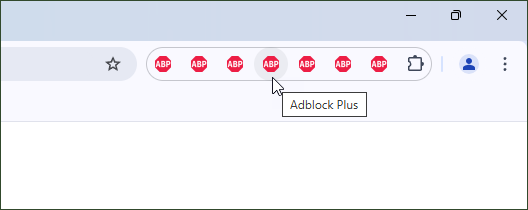
This flexibility creates the possibility of confusing users by intentionally changing an action icon to mimic another extension, enabling unauthorized access to user data and sensitive information.
Polymorphic Extensions
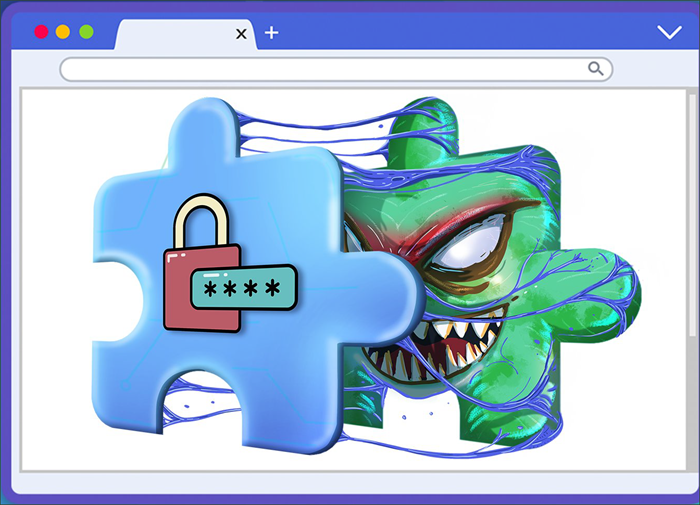
The SquareX team refers to these malicious extensions as “Polymorphic Extensions.” Such extensions can impersonate any installed extension, replicating its icon, interface, and functionality while disabling the legitimate one. This deception can trick users into unknowingly handing over sensitive credentials, allowing attackers to access personal and financial information.
How It Works
Attackers behind polymorphic extensions typically start by appearing legitimate. They may offer appealing free services or innovative features or even acquire and update an existing popular extension. Users, unaware of the malicious intent, install, pin, and use the extension normally. Initially, the extension functions as promised, quietly gathering intelligence while remaining undetected.
The attacker first determines which valuable extensions are installed on the victim’s browser through several methods like:
- browser.management API: This API enables extensions to manage other installed extensions, providing access to information about them, including the ability to enable or disable them dynamically.
- Web Resource Detection: The malicious extension injects scripts into web pages to detect unique resources associated with popular extensions such as password managers and crypto wallets.
Once the target extension is identified, the malicious polymorphic extension begins its intended task. It disables the legitimate extension and changes its own toolbar icon to mimic that of the targeted extension.
With the original extension disabled and its icon removed, the attacker extension’s icon now matches the original. Users, unaware of this switch, unknowingly interact with the malicious extension when attempting to use the original. The polymorphic extension might silently re-enable the original extension after successfully capturing data.
Mitigating the Threat
Browser vendors should restrict extensions from changing their action icons to arbitrary or dynamically generated images. While some legitimate use cases exist, developers should be limited to using only pre-set icons.
Additionally, extensions utilizing the browser.management API should undergo thorough review for potential misuse before approval in extension stores like the Chrome Web Store.
The SquareX team provides further recommendations to address this threat in their detailed blog post.