The “Open with Google Drive Viewer” is a browser extension for Google Chrome. It creates an entry in the context menu (right-click menu) to open links using Google Drive’s online file viewer tool.
You can use this tiny Chrome extension to open several file formats like PDF, Word (DOC and DOCX), Excel (XLS and XLSX), PowerPoint (.PPT and .PPTX), HTML, JS, ZIP, RAR, Autodesk AutoCad (.DXF), Adobe Illustrator (.AI), Adobe Photoshop (.PSD), SVG, TXT etc. Only restriction is that the file should be online and publicly accessible.
Benefits of Using Google Drive Viewer
There are several benefits of using Google Drive Viewer over any other application installed on your computer. First of all, you don’t need to have any specific software installed on your computer. For example, to open an online DOC file, you don’t need to download the file first and then open it using Microsoft Word or LibreOffice Write.
Additionally, opening an online file may be quite risky on your computer as it may contains some malicious code. While, opening it using an online viewer is quite safe as the file is processed on a remote server.
Moreover, once you open a file in Google Drive Viewer, you can easily save that file to your Google Drive account just with a click.
How to use this extension
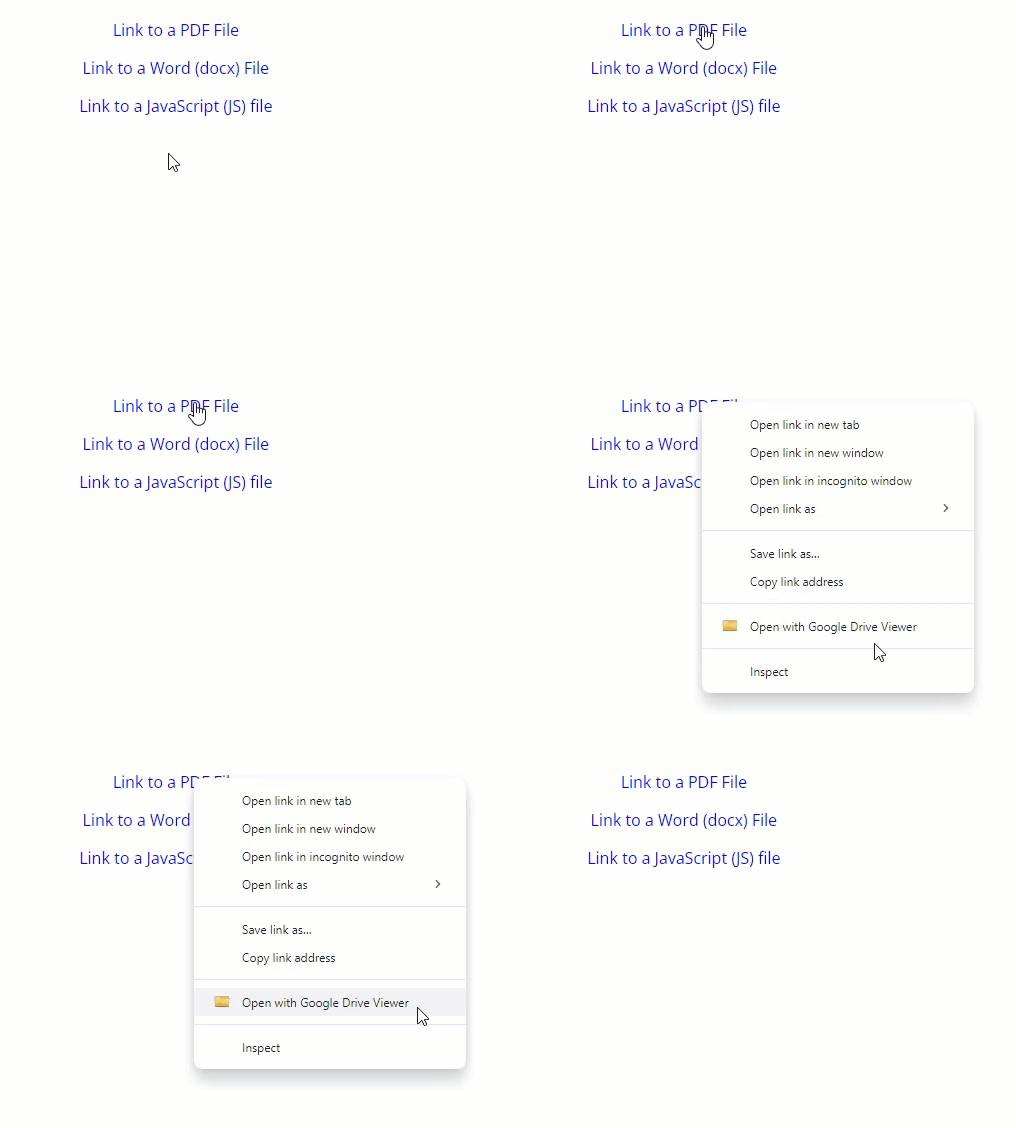
Install it from this Chrome Web Store page. It should work fine with Google Chrome, Microsoft Edge, Opera, Brave and several other Chromium-based browsers.
Once installed, you can use it on any link pointing to publicly accessible and supported file. For example, here are three links to test working of this extension:
Just make a right click on above links, and select the extension’s option “Open with Google Drive Viewer”. You should be able to view these files in Google Drive Viewer.
Works like a charm for Google search results. I like to search for my research work, and use this extension everyday.
Google search like "your keyword filetype:pdf" and then see super power of this extension. Thanks for creating this!
I love using this extension on my chromebook. I use for many file formats apart from office files. Google Workspace is the best office suite for chromebook.
this extension works good, but could you please a feature to convert excel to csv online? Like when I right click on any excel file link as above, there should be an option to import excel to CSV. That 1-click solution would be amazing.
Thanks.