The Quick QR Code is a light-weight and privacy-friendly QR code generator browser extension for Google Chrome, Microsoft Edge and other supported web browsers. Users can use it to generate QR codes for current tab’s URL, web links and selected text. It works offline without connecting or transferring data to any third-party service.
Install it from Chrome Web Store or Microsoft Edge Add-ons Store.
How To Use
After installing the extension, pin its icon on the browser toolbar, as explained in this tutorial. Click on this icon to create QR code for the URL of the current tab.
The extension also offers a keyboard shortcut command: Alt + Q. Use it to generate the QR code for the current tab. If this command is not working, or you want to change this to some other keys combination, follow this guide.
The generated QR code would appear in a popup as shown in following screenshot. You can scan this QR code using any supported application on your mobile phone.
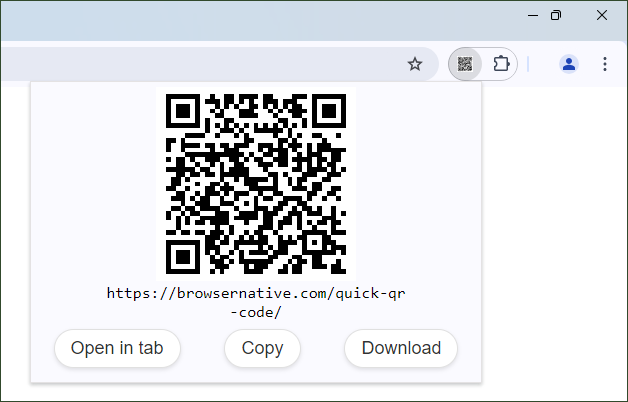
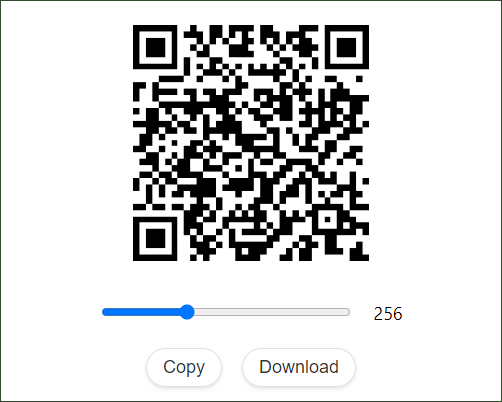
Users can click on the “Open in new tab” link in the popup window to open the QR code in a new tab. You can resize and download the generated QR code as a PNG image from there.
QR Code for Selected Text and Links
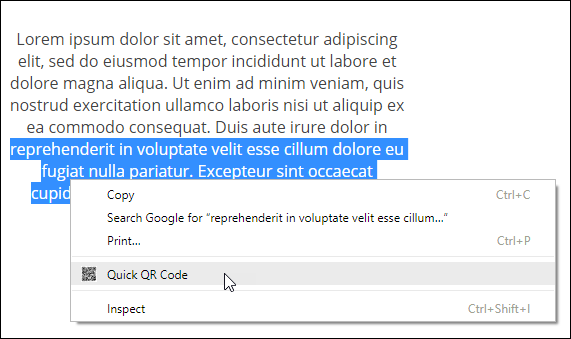
Select any text snippet and right click on it. This would show a context menu with the option “Quick QR Code” as shown in the following screenshot. Click on this option to generate the QR code for that selected text. When you scan this QR code using any supported app, you can copy the selected text, and then use on your mobile device. This could be the fastest way to transfer text data from computer to mobile.
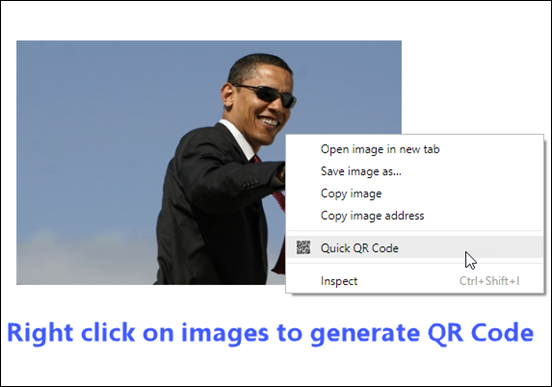
Similarly, you can right click on images and links, and select the corresponding option in the context menu to generate QR codes easily.
Privacy Friendly
The Quick QR Code extension doesn’t use any third-party service for generating QR codes. It works offline and generates QR codes on the fly without requiring internet connectivity. It doesn’t record any browsing or usage data.
If you like this tiny extension, please rate it 5-stars on Chrome Web Store. For any feedback or suggestion, leave a comment below or email us at browsernative.apps@gmail.com. Explore our other extensions for Chrome, Firefox, Edge and other browsers.
Hey,
Love this extension, one of my favorites.
One thing I'd love to see though is a text box in the popup so you can generate custom QRs instead of only URLs.
Thanks!
I Love This Add On
@David: If you want to change the keyboard shortcut for this extension, please see this link: https://browsernativeapps.wpcomstaging.com/extensions/change-chrome-extensions-keyboard-shortcuts/
How do I get it to gernerate a QR for the alt button? Specifically "alt + a"
please add a QR code decoder to this extension. That would be a great addition.
@David Yao: you can't use Chrome extension with Microsoft Word.
great , very useful ,can i use it on word file
best qr code maker extension for google chrome. great job, thanks for creating and maintaining this extension.
Hello, I like your extension and it's useful for me, but I can not create a QR code with the text in Russian. The extension creates QR code with Russian text incorrectly.