WebSage is a browser extension that brings the power of AI directly to your browsing experience. It allows users to run intelligent prompts on entire web pages or selected text snippets. These prompts are processed by OpenAI’s advanced GPT-4.1 mini and GPT-4o mini models.
With WebSage, users can generate customized summaries, explanations, contextual analysis, and insights, tailored to the content they’re viewing.
Moreover, there’s no ChatGPT subscription required. Simply plug in your OpenAI API key and pay only for what you use. Since WebSage leverages lightweight models like GPT-4.1 mini and GPT-4o mini, usage costs remain remarkably low, like just $1 of API credit can easily cover a month of moderate to heavy use.
How to use?
Install the WebSage extension from this Chrome Web Store page to start. Once installed successfully, pin its icon on the browser toolbar following this tutorial.
WebSage supports following popular models of OpenAI:
- GPT-4.1 Mini (gpt-4.1-mini)
- GPT-4o Mini (gpt-4o-mini)
In order to use OpenAI models, you need to provide your OpenAI API key. You can generate a new key or use your existing keys from here. The WebSage extension saves your API key locally in your browser, and is used to communicate with OpenAI servers only. You can always revoke or delete your API key and regenerate a new one if required.
Once you enter your API key for the desired service, you are ready to use the WebSage extension. Open any web page, and click on the extension icon on the toolbar. A side panel will appear with the summary of the web page content. See the following example screenshot for your reference:
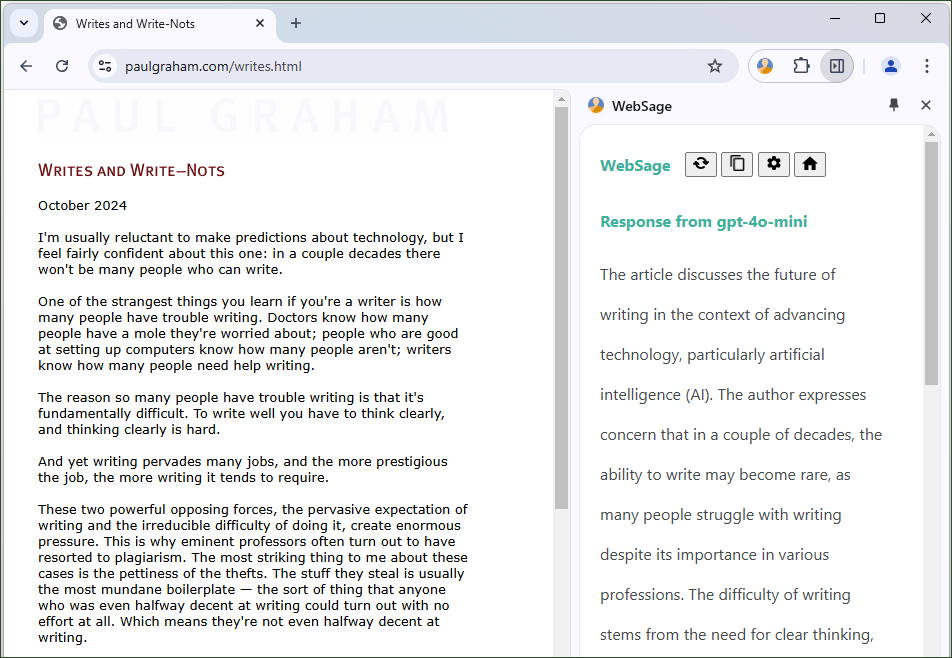
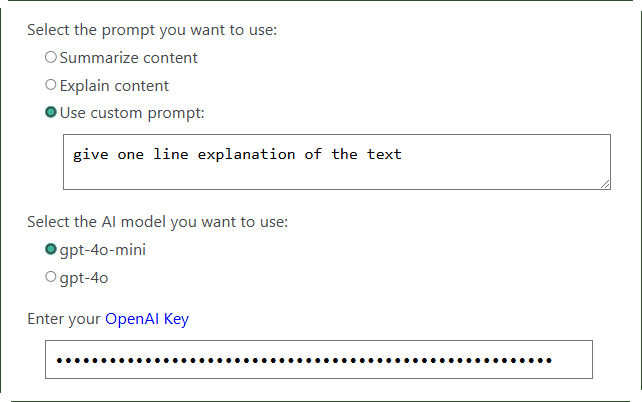
By default, the extension shows summary of web pages. You can change this behavior and generate an explanation of the web page content. Moreover, you can use your custom prompt to run on web page content. This opens endless possibilities with the brilliant AI models.
Recommended Extension: Try our AI Search Plus Chrome extension, a better ChatGPT Search extension.
Keyboard Shortcut
You can also use the keyboard shortcut Alt + i (or, Option + i on macOS) for the above task. If this keyboard command is not working for you, or you want to change it, follow the steps described here.
Context Menu Option
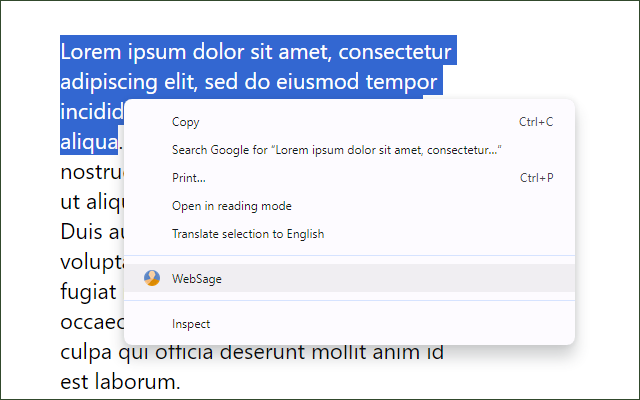
The WebSage extension provides a context menu option which appears when you make a right click on highlighted text snippets. You can use this option to run the AI prompts on this highlighted text. You can generate AI-powered summary, explanation, ask questions related to the text and do more.
Follow Up Actions
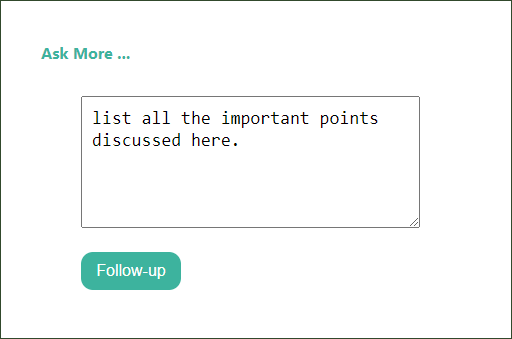
Once WebSage has showed the response from OpenAI, you may further ask it do more actions on the content. You may ask questions related to the content, regenerate summary or explanation in desired way with different perspective etc.
Your Data and Privacy Policy
We don’t access any of your data including API key and custom prompts. We don’t track the extension usage or any other activity you perform with it. Read detailed privacy and security information on this page.
Pricing
While WebSage is a free browser extension, you need API keys from OpenAI platform in order to process your requests. OpenAI API usage requires credit balance in your account. Checkout their pricing page for detailed information.
If you like WebSage extension, please rate and review them on Chrome Web Store. For any query or clarification, feel free to write us at browsernative.apps@gmail.com, or leave a comment below.